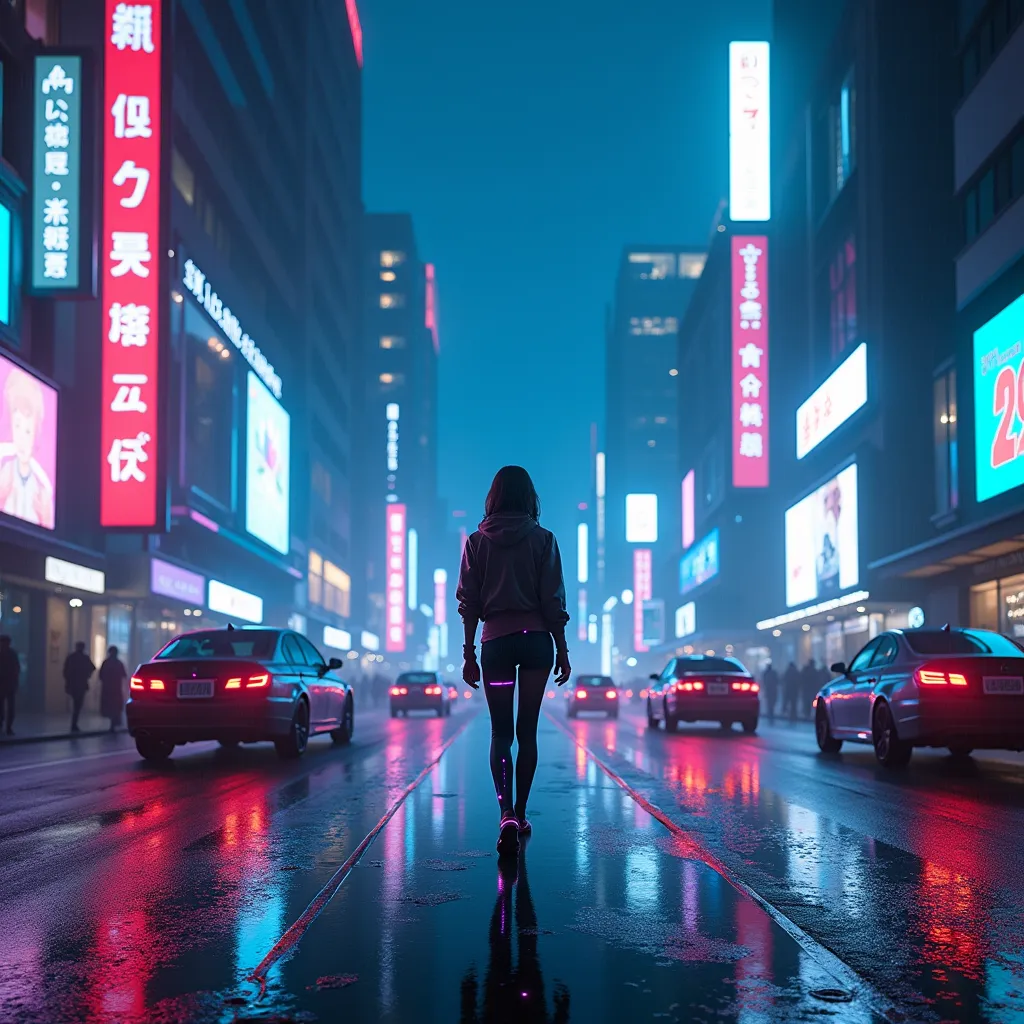
If you want an uncensored AI video generator in November 2026, only a few options actually allow adult content with fictional adults: Cleus Imagine (Uncensored+ video), open video models you run yourself in ComfyUI, Civitai's mature site (civitai.red), and, to a limited degree, Venice and Grok Imagine's "Spicy" mode. The big mainstream apps (Kling, PixVerse and Hailuo) make excellent video but ban sexual content in their own rules.
No legitimate service is "anything goes." Every option below bans sexual content involving minors, and almost all ban sexual depictions of real people. They differ on how much adult content they allow, clip length and sharpness, sound, and price.
We compared eight options using each service's own pricing and policy pages, plus solid reporting where official pages are thin. Prices are as of November 2026.
Quick answer: the 8 options
Allow adult content with fictional adults:
- Cleus Imagine – Uncensored+ video, plus Kling 4.0 for long clips with sound, in one app.
- Local open models in ComfyUI – free software, no service filter, needs a strong GPU.
- Civitai (civitai.red) – community models and mature generation, paid with Buzz.
Partly, with conditions:
- Venice – privacy-first; the Mature Filter turns off on Pro and up, but video runs on third-party models.
- Grok Imagine – has a "Spicy" preset, but it's limited, and real people are strictly banned.
Mainstream-filtered (no sexual content):
- Kling (Kling's own app) – up to 30 seconds per clip with Kling 4.0.
- PixVerse – cheap plans, free daily credits, up to 4K on Pro.
- Hailuo (MiniMax H3) – 2K clips with native stereo sound.
1. Cleus Imagine (our pick, with a disclosure)
Cleus is our product, so weigh that.
Cleus Imagine puts several video models in one picker:
- Uncensored+ video – Cleus's own uncensored video model. 5 or 10 second clips, up to 1080p. This is the one that allows nudity and adult themes with fictional adults.
- Quality+ video – 2 to 30 seconds, up to 1080p, with sound.
- Kling 4.0 – 3 to 30 seconds, 720p or 1080p, with sound, plus reference and video-edit modes. Our Kling 4.0 guide covers how to prompt it.
You can also swap yourself into a video, make a talking video from a portrait, and keep characters consistent with the character library or a Cleus Avatar built from 3–10 of your photos. The Imagine Agent tab plans and generates a batch of clips from one description. You can make a still with the Uncensored+ image model (3 credits per image) and animate it; our uncensored AI image generator guide covers that side.
Pricing: free accounts get a small daily credit refill with no card required. Premium plans give a larger daily allowance.
The lines Cleus does not cross: no sexual content involving minors, and no explicit images or videos of real people or other non-consensual intimate imagery, on any model. If an intimate image of you was made or shared on Cleus without consent, use the takedown form at /report. A clear "no" on real people is what keeps an adult-friendly service trustworthy.
Downsides: it's credit-based, so heavy video users will want Premium. It's a hosted service, so you're trusting Cleus with your prompts, unlike a local setup.
2. Local open models in ComfyUI
Running a video model on your own computer is the only setup where no company filters your prompts. ComfyUI is the standard tool. It's free (GPL-3.0), runs on Windows, Linux and macOS, and its core "does not download anything unless you request it," so it can run fully offline. Its README lists support for open video models including LTX-Video 2 and 2.3, HunyuanVideo 1.5 and Mochi.
One open-weight model people commonly run locally:
- LTX-2.x from Lightricks. The LTX-2 repository recommends LTX-2.5 and describes synchronized audio and video, text-to-video and image-to-video, and a 4K mode (3840×2176). The full download is about 66 GiB, and the repo suggests FP8 quantization and offloading for smaller GPUs. The weights use Lightricks' own community license, not a standard open-source one.
The software applies no rules of its own; results depend on the model and any LoRAs you load. Licenses and the law still apply. For how open models lose their refusals on the text side, see our explainer on abliterated models.
Strengths: private, no per-clip cost after hardware, unlimited. Downsides: expensive GPU, slow renders, a learning curve, and full legal responsibility for what you make and share.
3. Civitai (civitai.red)
Civitai is the biggest hub for community models, and it runs on-site image and video generation. In 2026 it split in two. The civitai.com memberships page now says "Unrestricted content creation has moved to civitai.red."
- Green memberships on civitai.com cost $10, $25 or $50 a month, paid by card through Stripe, and Civitai says Green Buzz "supports safe-for-work content creation."
- On civitai.red, Yellow memberships "are no longer available." You buy Buzz instead, which works for "image generation, video generation, model training" and "supports all content ratings." Check the purchase page for current prices and payment methods.
Civitai's Safety Center is strict: it prohibits "the use of our resources to generate the likeness of real-world individuals," bans all photorealistic images of minors, and bans all sexual depictions of minors, including anime.
Strengths: huge model variety and mature video generation. Downsides: confusing Buzz system, quality varies by model, and payment options keep changing.
4. Venice
Venice is a privacy-focused AI app with chat, images and video. Its pricing page lists:
- Free: 10 text and 15 image prompts a day, but no monthly credits, and video is paid for with credits.
- Pro: $18/month with 100 credits. Pro Plus $68 (7,500 credits) and Max $200 (22,500 credits).
- 100 credits equal $1, and Venice says a video of about 5 seconds costs under 80 credits.
Venice's FAQ says you can turn off the Mature Filter on Pro or higher, and that it supports image-to-video. It also says conversations are stored locally and Venice "does not store or log your prompts or model responses on its servers." Its terms ban child abuse material, including AI-generated material, and using anyone's "name, voice, image, or likeness without their consent."
The catch for adult video: Venice's model list shows dozens of video models from third parties, and Venice doesn't publish per-model adult-content rules for video. Expect results to vary by model.
Strengths: privacy, many models, cheap short clips. Downsides: no video on the free plan; adult video isn't guaranteed on every model.
5. Grok Imagine
On February 2, 2026, xAI launched Grok Imagine 1.0 with 10-second clips, 720p and "dramatically better audio," according to TechSpot. Grok's plans page now lists "Make stunning AI images & videos" from the Premium tier and "Create 1080p videos" from Super. Prices vary by region.
"Spicy" was one of four video presets at launch in August 2025. Tom's Guide reported that it produced sexualized content and partial nudity, while more explicit output was blurred and moderated. Since then it has been tightened. In January 2026, after users had Grok put real people into revealing clothing on X, X said it would block sexually explicit images of real people, and governments opened investigations. xAI hasn't published a current spec for Spicy, and reports on who can use it disagree.
The acceptable use policy (effective August 14, 2026) bans "undressing or nudifying real persons," "depicting likenesses of persons in a pornographic manner," and sexualizing children.
Strengths: fast and polished, with good audio. Downsides: limited adult content at best, and frequent policy changes.
6. Kling (Kling's own app)
Kuaishou's press release says Kling 4.0 launched on October 15, 2026, with single-pass clips up to 30 seconds. It also announced 4K and two-minute extensions, but listed those as coming rather than live.
A pricing guide updated October 13, 2026 lists Standard at $6.99 for the first month, then $8.80 (660 credits), up to Ultra at $159.99. Free accounts get monthly credits but no 1080p, and free clips keep a watermark.
Content policy: Kling's Community Guidelines (effective September 8, 2026) ban generating or publishing content that depicts sexual acts or "explicit depictions of private body parts in a sexual context." So the Kling app is not an uncensored option. If you want Kling 4.0 for mainstream scenes and an uncensored model for adult ones in the same place, Cleus Imagine has both.
7. PixVerse
- Basic (free): 60 starting credits and 30 daily credits, up to 540p.
- Standard: $10/month ($8/month billed yearly), 1,200 credits plus 60 daily, up to 720p.
- Pro: $30/month, 6,000 credits, up to 4K. Premium $60 and Ultra $249 a month.
Pro and higher plans also unlock partner models such as Kling 4.0 and MiniMax H3 inside PixVerse. Its Community Guidelines prohibit "graphic sexual content or inappropriate adult material," so it's mainstream-filtered.
Strengths: cheap entry and free daily credits. Downsides: no adult content; free is capped at 540p.
8. Hailuo (MiniMax H3)
Hailuo is MiniMax's video app. Its newest model, MiniMax H3, launched on July 31, 2026 with clips up to 15 seconds, up to 2K, and sound generated together with the video in stereo, per DataNorth. Hailuo's site shows plans "From $9.99/mo" and free credits for new users.
Hailuo's Terms of Service (last modified August 19, 2026) say user content must not "promote sexually explicit or pornographic material." Mainstream-filtered.
Strengths: sharp 2K output with native audio. Downsides: no adult content; 15 seconds is half of Kling 4.0's ceiling.
Comparison table
| Tool | Max length | Resolution | Sound | Image-to-video | Content policy | Free tier | Price (Nov 2026) |
|---|---|---|---|---|---|---|---|
| Cleus Imagine | 10 s (Uncensored+), 30 s (Quality+, Kling 4.0) | Up to 1080p | Yes (Quality+, Kling 4.0) | Yes | Adult content with fictional adults on Uncensored+; no minors, no real people | Daily free credits, no card | Premium plans; check current pricing |
| Local (ComfyUI + open models) | Depends on model | Up to 4K (LTX-2.x) | LTX-2.x yes | Yes | No service filter; licenses and law apply | Free software | Your own GPU (LTX-2.x full download ~66 GiB) |
| Civitai (civitai.red) | Varies by model | Varies by model | Varies by model | Varies by model | All ratings with Buzz on civitai.red; real-person likeness banned | Earned Blue Buzz | Green $10–$50/mo (SFW only); red Buzz: check |
| Venice | Varies by model | Varies by model | Varies by model | Yes | Mature Filter off on Pro+; video rules vary by model | No video (no credits) | Pro $18/mo; ~5 s clip under 80 credits ($0.80) |
| Grok Imagine | 10 s (Imagine 1.0) | 720p; 1080p on Super | Yes | Yes | Limited "Spicy" preset; real people banned | Check grok.com | Premium tier and up, priced by region |
| Kling app | 30 s (Kling 4.0) | Up to 1080p (4K announced) | Yes | Yes | No sexual content | Monthly credits, no 1080p, watermark | Standard $6.99 first month, then $8.80 |
| PixVerse | Varies by model | 540p free; 720p Standard; 4K Pro+ | Varies by model | Yes | No sexual content | 60 + 30 daily credits | $10 / $30 / $60 / $249 per month |
| Hailuo (H3) | 15 s | Up to 2K | Yes, stereo | Yes | No sexual content | Free credits for new users | From $9.99/mo |
Longest single clip, by tool
Tap a row for details.
- Kling 4.0 runs 3–30 s at 720p or 1080p with sound; Quality+ video runs 2–30 s with sound.
Civitai, Venice, PixVerse and local-model lengths depend on the model you pick, so they are not ranked. Sources: Cleus, Kuaishou, DataNorth, TechSpot.
Which one fits you?
The short version: adult themes with no setup points to Cleus Imagine or civitai.red; zero filters and total privacy points to a local setup; privacy without a GPU points to Venice Pro; long mainstream clips point to Kling 4.0; and the cheapest mainstream experiments point to PixVerse. Test yourself on six real situations:
Which video generator fits you?
Six real situations. Pick the tool that fits each one best.
You have a 24 GB graphics card, you are patient, and you never want a company to see your prompts.
Safety and the law
"Uncensored" never means legal immunity. Three rules hold almost everywhere:
- No minors, ever. Every service here bans sexual content involving minors, and Civitai also bans photorealistic images of minors in any context.
- Real people are off-limits for sexual content. Cleus blocks explicit images and videos of real people. Civitai bans real-person likeness. xAI bans nudifying real people. Venice requires consent to use anyone's likeness. Running a model locally doesn't change the law.
- The law has teeth now. In the US, the TAKE IT DOWN Act, signed in May 2025, makes it a crime to knowingly publish non-consensual intimate images, including AI-made "digital forgeries." Since May 19, 2026, covered platforms must remove reported images within 48 hours.
Keep adult work to fictional adults and never use a real person's photo for sexual content. To plan scenes and scripts, see our guide to uncensored AI chatbots.
Uncensored AI video generator FAQ
Is there a free uncensored AI video generator?
Local open models like LTX-2 are free software if you already own a capable GPU. Among hosted tools, Cleus gives free accounts daily credits with no card. Venice's free plan has no credits for video, and the mainstream free tiers (PixVerse, Kling, Hailuo) don't allow adult content.
Which AI video generator has no restrictions at all?
Only a local setup has no service-side filter, because the software runs on your machine. Every hosted service has rules, at minimum on minors and real people.
Can I turn an image into an NSFW video?
On services that allow adult content, yes, as long as the image shows a fictional adult. Never animate a real person's photo into sexual content: every major service bans it, and publishing it can be a crime.
Does Grok Imagine still have Spicy mode?
Grok launched a Spicy video preset in August 2025 that allowed partial nudity, with explicit output blurred. It has been restricted since the January 2026 deepfake backlash. xAI hasn't published current details, and access reportedly varies by plan and region.
Does Kling allow NSFW video?
No. Kling's Community Guidelines ban sexual acts and explicit depictions in generated content. PixVerse and Hailuo have similar bans.
How long can AI videos be in 2026?
Kling 4.0 makes up to 30 seconds in one pass, and so does Quality+ video in Cleus Imagine. MiniMax H3 reaches 15 seconds and Grok Imagine 1.0 launched with 10. Most uncensored models make shorter clips, such as Uncensored+ video at 5 or 10 seconds.
Sources
- Venice pricing
- Venice FAQs (Mature Filter, image-to-video, privacy)
- Venice Terms of Service
- Venice model list (video models)
- Civitai memberships (civitai.com)
- Civitai memberships and Buzz (civitai.red)
- Civitai Safety Center
- Grok plans
- xAI / SpaceXSI Acceptable Use Policy (effective Aug 14, 2026)
- TechSpot: xAI launches Grok Imagine 1.0 with 10-second 720p video (Feb 3, 2026)
- Tom's Guide: Grok launches Imagine with a NSFW "spicy mode" (Aug 5, 2025)
- NPR via WLRN: X to block Grok from making explicit images of real people (Jan 16, 2026)
- Kuaishou press release: Kling 4.0 launches (Oct 16, 2026)
- Kling AI Community Guidelines (effective Sept 8, 2026)
- Framesurfer: Kling AI pricing (updated Oct 13, 2026)
- PixVerse subscription plans
- PixVerse Community Guidelines
- Hailuo AI
- Hailuo AI Terms of Service (Aug 19, 2026)
- DataNorth: MiniMax releases MiniMax H3
- ComfyUI on GitHub
- LTX-2 on GitHub (Lightricks)
- WilmerHale: The TAKE IT DOWN Act goes live (June 2026)
Ask the question this article didn’t answer.
Ask anything about uncensored ai video generator. Cleus opens this article, searches the live web and gives you a straight answer, with sources.